10 Things You Need to Know About Adding a Second GPU for Local AI
If you've ever hit a message cap or censorship wall with cloud AI assistants like ChatGPT or Claude, you've probably thought about running local LLMs on your own PC. The good news is that you don't need to swap out your primary GPU for the latest high-end model. Instead, adding a budget-friendly second GPU solely for AI workloads can be a smart, cost-effective move. In this article, we'll walk through 10 key insights based on real experience, from choosing an old GPU like the RTX 3060 to understanding what you can actually expect in terms of performance and use cases.
1. A Second GPU Unlocks Local AI Without Disrupting Your Main Rig
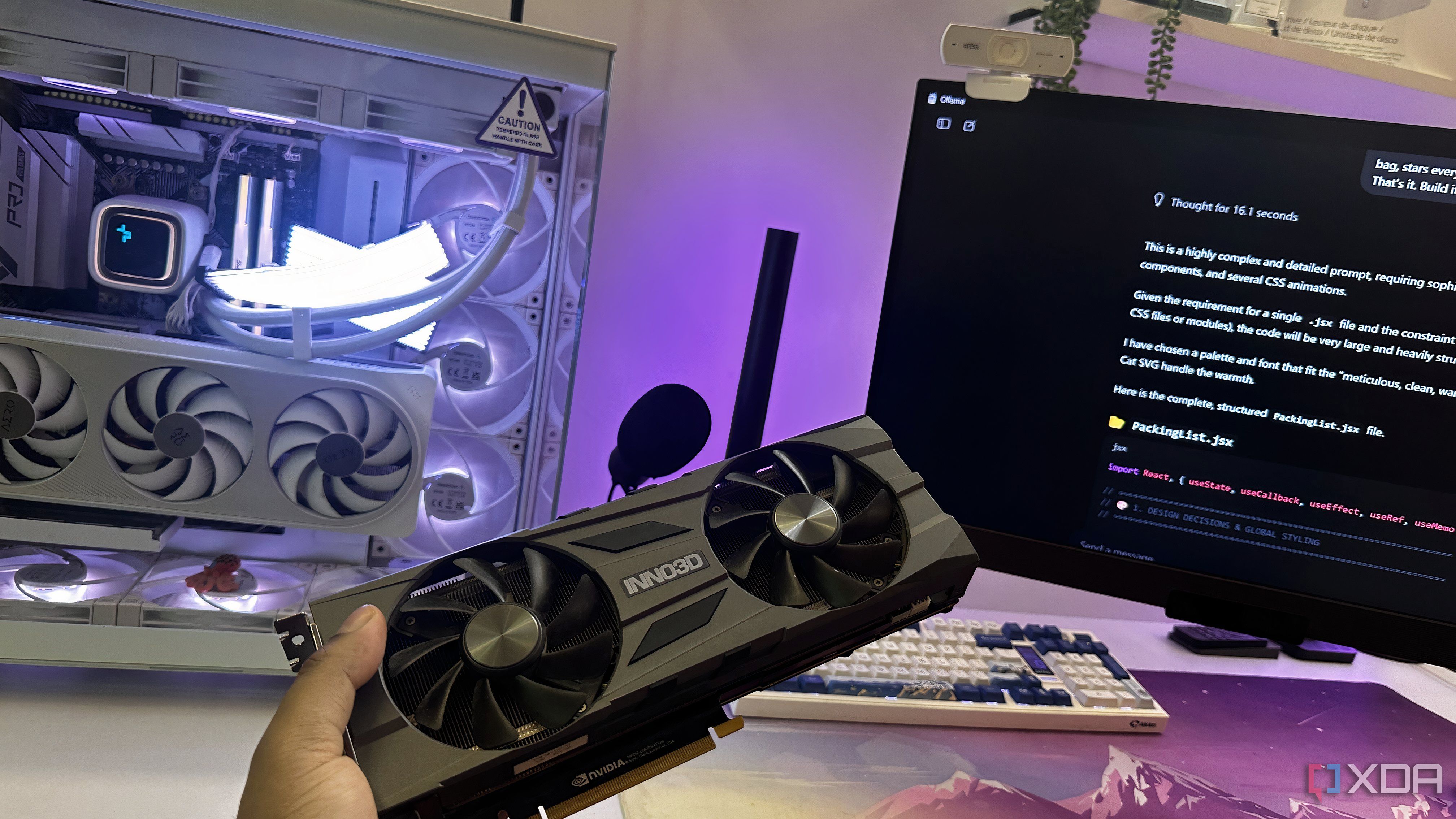
Your main GPU is busy handling gaming, video editing, or other primary tasks. Dedicating a separate graphics card exclusively to local AI workloads means you can run large language models (LLMs) like Qwen2.5 or Llama 3.2 without interfering with your daily workflow. This separation avoids driver conflicts and keeps your primary system stable. Even an older card that's several generations old can serve as a capable AI accelerator, as long as it has enough VRAM.
2. Even Old GPUs with 8–12 GB of VRAM Can Run Decent Models
You might think local LLMs require a top-tier GPU, but that's not the case. Models in the 7B–8B parameter range typically need around 6–8 GB of VRAM, especially after quantization. A pre-owned RTX 3060 12GB (or similar) is an excellent example: it provides enough memory to host models like Llama 3.2 8B, while costing a fraction of a new flagship card. With proper optimizations, you can even run larger models at reduced precision.
3. Cost Savings vs. Upgrading Your Primary GPU Are Significant
Upgrading your main GPU to a current high-end model (e.g., RTX 4090 or 7900 XTX) can easily set you back over a thousand dollars. In contrast, a second-hand RTX 3060 12GB can be found for around $250–$350. That's less than a third of the cost of a flagship upgrade. And because you aren't replacing your existing card, you keep your primary system's performance intact while gaining a dedicated AI workhorse.
4. Performance Is Good Enough for General Queries and Document Analysis
Don't expect your local AI setup to match the intelligence of Claude 3.5 Sonnet or GPT-4. However, for day-to-day tasks like answering factual questions, summarizing documents, extracting data from PDFs, or helping with productivity workflows, a local 7B–8B model can be surprisingly capable. Once you dial in the right prompts and system tweaks, you'll find it reliable for many common requests—and it never hits message caps or censorship filters.
5. No More Annoying Message Caps or Censorship
Cloud AI services often impose daily usage limits or refuse certain queries due to content policies. Running an LLM locally eliminates these restrictions entirely. You can ask as many questions as you want, explore sensitive topics, or iterate on code without worrying about hitting a quota. This freedom alone can justify the cost of a second GPU, especially for power users and researchers.
6. Installation and Setup Are Easier Than You Think
Adding a second GPU is straightforward: just plug it into an available PCIe slot (even an x4 slot works fine for inference), install the latest drivers, and configure software like ollama, LM Studio, or text-generation-webui to use the dedicated card. You can explicitly bind the AI processes to that GPU via environment variables, keeping your primary display card free. No complex BIOS tweaks are required.
7. Ideal Model Range: 7B to 8B Parameters
With 8–12 GB of VRAM, you can comfortably run models from 7B to 8B parameters at 4-bit or 5-bit quantization. This includes popular open models like Mistral 7B, Llama 3.2 8B, Qwen2.5 7B, and Phi-3. For many practical tasks—code generation, reasoning, summarization—these models deliver solid results. If you have 12 GB, you can even try smaller 13B models with aggressive quantization.
8. Great for Testing and Experimenting Without Risk
A dedicated AI GPU is perfect for hobbyists and developers who want to experiment with different architectures, fine-tuning, or custom inference pipelines. Since the card is separate, any crashes or memory overflows won't affect your main workspace. You can also easily swap cards or sell them later when you want to upgrade—a much lower commitment than overhauling your entire rig.
9. Energy and Thermal Considerations Are Manageable
Older GPUs like the RTX 3060 draw around 170W under load, which is modest compared to flagship cards. With two GPUs in the system, total power is still reasonable—just ensure your power supply has enough capacity and cables. Good airflow inside the case helps keep temperatures in check. Some users even underclock the secondary card to reduce noise while maintaining performance for AI inference.
10. Future-Proofing: You Can Always Reuse or Resell the Card
If you later decide to upgrade your primary GPU to something with ample VRAM, you can repurpose the secondary card for other compute tasks (like rendering or machine learning training), or sell it. The second-hand market stays active for last-gen GPUs. In the meantime, you've gained a dedicated AI accelerator that costs less than a night out and opens up a world of offline AI possibilities.
Conclusion: Adding a budget second GPU for local AI workloads is a practical, wallet-friendly strategy. You don't have to sacrifice your primary graphics performance, and you gain the freedom of uncapped, uncensored access to capable open-source language models. Whether you're a developer, researcher, or curious hobbyist, this approach lets you dip into local AI without breaking the bank. Start by searching for a used 8–12 GB card, and your PC will be ready for the local LLM revolution.
Related Articles
- OpenAI Weighs Legal Action Against Apple Over Strained ChatGPT-Siri Partnership
- Why Inference Design Is Becoming the Critical Bottleneck in Enterprise AI
- Mastering AI Integration: A Python Developer's Guide to API-Driven Intelligence
- How to Train Multiple LLM Sizes Simultaneously with NVIDIA Star Elastic
- How to Build a Self-Improving AI: A Step-by-Step Guide to MIT's SEAL Framework
- How to Start Using Anthropic’s Claude Opus 4.7 Model on Amazon Bedrock
- GPT-5.5 Debuts on Microsoft Foundry: Next-Level AI for Enterprise Workflows
- Unraveling the Web: 10 Key Facts About Detecting Interactions in LLMs at Scale